When to Upgrade Your Business Software (And When Not To)
By Rigoris Digital
The short answer
Upgrade your business software when someone can name a specific thing it will not do, and that gap survives after you have fixed the process around it. Slowness, complaints and workarounds point at process more often than at the tool. Check what you already own before you buy anything new.
TLDR
Your team says the system is slow and everyone works around it. That tells you where the pain shows up, not what is causing it.
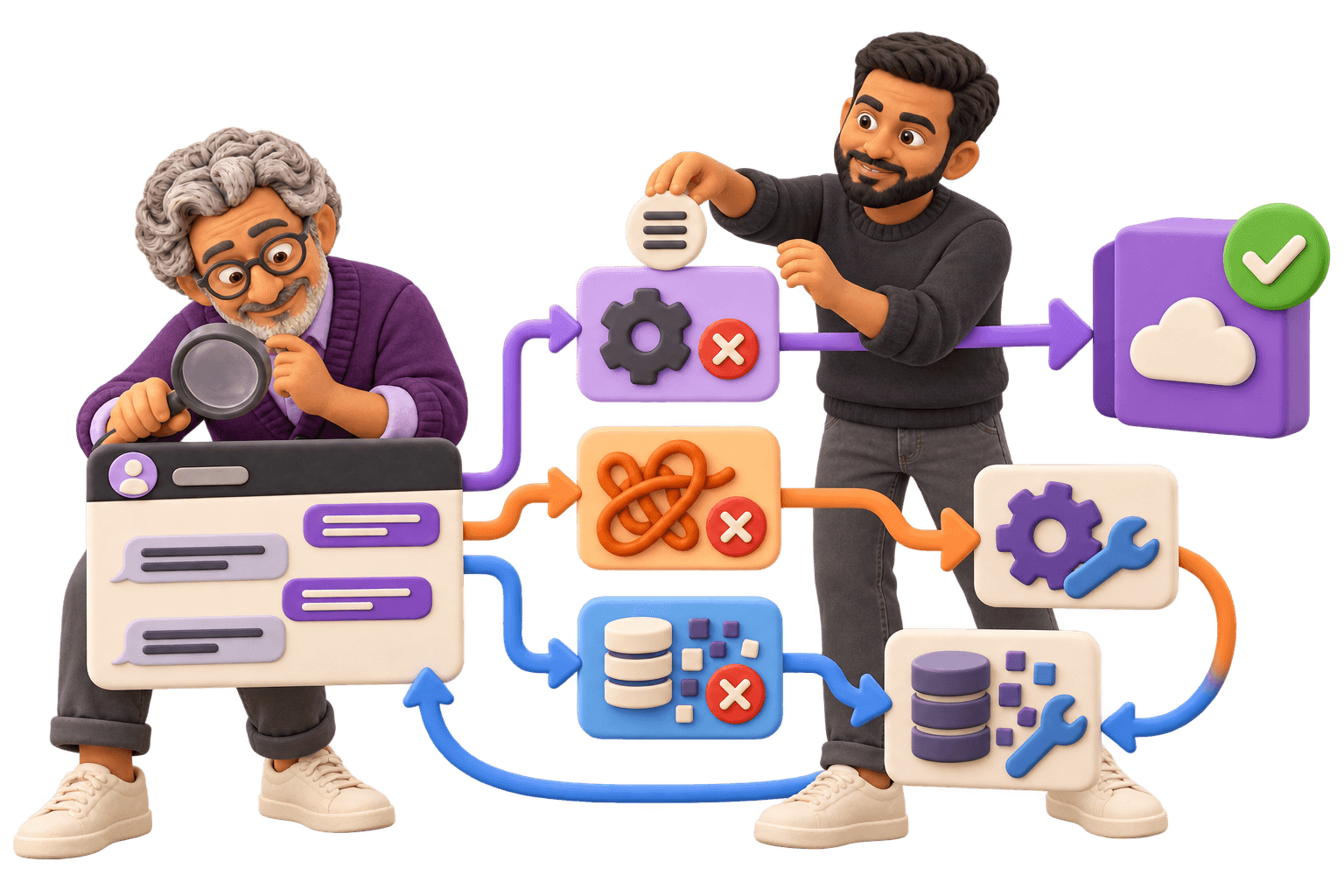
Three problems produce nearly identical symptoms: a tool problem, a process problem and a data problem. Only one gets fixed by buying software.
The test for a real tool problem is whether anyone can name a specific thing the software will not do. “It’s clunky” isn’t that. “It can’t split one invoice across two jobs” is.
Before you take a demo, follow one job through your business and count every point where the work leaves the system. That count is the diagnosis.
The licence is the small number. Cleaning the data, running two systems at once and retraining are the rest, and they land on your team, not the vendor’s.
Replace software to fix a process problem and you pay for the upgrade and keep the problem. That’s the expensive version of this decision.
Most advice on when to upgrade your business software is a list of five signs, published by somebody who sells the upgrade. The signs are usually accurate. What they leave out is that each one has three possible causes, and only one is answered by a purchase order. Working out which you’re looking at is the whole job, and it costs two weeks and no money.
What Actually Breaks First
Nobody upgrades because a strategy document told them to. It starts with something small and repeated. Somebody retypes the same customer details into a second system every morning. A report leadership asks for monthly takes one person the better part of three days. There’s a spreadsheet living next to the system, and it’s the one everybody actually trusts. One person knows how to do a particular thing, nobody else does, and when they’re off it waits.
Take all of that seriously. It’s the business telling you where it spends effort it doesn’t get paid for. What it is not is a diagnosis. Each of those has a version caused by the software and a version caused by how the work is organised around it, and from where you sit they look identical.
The double entry is the clearest example. It can mean the two systems genuinely can’t talk to each other, which is a tool problem with a price attached. It can also mean they can, and nobody was ever given the job of connecting them. Same symptom every morning. Completely different answer.
The spreadsheet is the most useful of the four, so look at it hardest. A spreadsheet that survives next to a system you’re already paying for records exactly which part of the work that system doesn’t hold. Open it. Its columns are a requirements list, compiled by the people doing the job, for free.

Tool Problem, Process Problem, or Data Problem
The most useful finding here comes from people who make their living on enterprise software projects. Panorama Consulting Group’s 2026 ERP Report, a survey of 170 organizations with data collected between January 2025 and January 2026, puts it flatly: ERP issues “are most often related to unclear process ownership, poor user adoption, and lack of strategic alignment around project goals.” They add that while vendor selection matters, “the real challenge is making the organization operate differently once the new system is in place.”
Those respondents are far bigger than you, and an enterprise rollout isn’t the same animal as changing your scheduling tool. The pattern travels anyway, because software encodes a process. Encode the one you already have and you’ve bought a faster version of your current problem.
It’s a process problem when nobody can say what finished looks like
Two people do the same job differently and both of them are right.
The workaround isn’t in the software at all. It’s a phone call, an email chain, or a person who checks things.
You can’t describe the current process to a stranger in five minutes without saying “it depends”.
The last tool change fixed it for about four months and then it came back.
That last one is the tell. If a previous switch bought a temporary reprieve and the same problem came back in a new interface, the constraint was never the tool.
It’s a data problem when the answers disagree
Two reports out of the same system give different numbers, and somebody in the building knows which one to believe. The same customer exists three times under three spellings. Any new product would need this data on day one, and nobody wants to be the person who checks it first.
Data problems walk straight through an upgrade untouched. Migration moves records, not their quality. Everything wrong today arrives in the new system on its first morning, with less institutional memory around it, which is how a clean start becomes the same mess behind a better login screen.
It’s a tool problem when you can name what the software won’t do
Name it in specifics. “It can’t split one invoice across two jobs.” “It allows one address per customer and half of ours have two.” “There’s no way to see which technician is free on Thursday without opening six screens.” Each of those is a requirement. It’s testable in a demo, and a product either does it or it doesn’t.
“It’s clunky”, “it’s outdated” and “it doesn’t feel modern” are not requirements. They’re moods, and no demo will ever fail them. One other genuine tool problem: your vendor has ended support for the version you’re on, or the thing is a live security exposure. That’s a reason to move on its own.
Follow One Job Through the Business Before You Take a Demo
Run the cheapest research you’ll ever do. Pick one thing your business does over and over, and follow it from the moment it arrives to the moment you’ve been paid for it. One job, one order, one claim. Not the whole company, one thread through it.
At every step, write down four things:
Who touches it, and what they do to it.
Which system it lives in at that moment, if any.
Every point where somebody retypes something that already existed somewhere else.
Every point where the work leaves the system, into an email, a spreadsheet, a phone call, or somebody’s head.
The fourth one answers the question. Count the exits, then ask why each one happens, and the answers sort themselves into the three problems above. The work leaves because the system can’t hold it: tool. Because nobody ever decided it should be in there, or because one person prefers their own way: process. Because nobody trusts what’s in there: data.
Two weeks is enough, and you’re not building a process map for anybody. You’re counting exits. The longer version of this exercise is in the three-step plan for upgrading how your business works. Do it before the demos. Once you’ve watched a vendor’s product handle a problem beautifully, it gets hard to remember what your problem actually was.

What It Costs to Upgrade Your Business Software Beyond the Licence
The same Panorama report found more than a quarter of those projects over budget, most often because of an unexpected need for additional technology. Almost a quarter ran over schedule, most often because of organizational issues: governance, resistance to change, process redesign. Read those together. The budget went on things nobody knew they’d need, and the calendar went on people rather than code.
The costs that don’t appear on the quote are the ones to plan for:
Cleaning the data before it moves, the line nobody budgets and everybody needs.
Running the old and new system side by side for a stretch, paying for both and reconciling between them.
Retraining, which lands on the people who are already busiest.
Rebuilding every report and integration that quietly depended on the old system, including the ones nobody remembered existed.
A productivity dip that is real, is measured in months, and appears in no vendor timeline.
Every one of those lands on your team, not the vendor’s. The vendor’s obligation usually ends at the login page.
Before you add anything, check what you already own. Zylo’s 2025 SaaS Management Index, drawn from more than 40 million software licences under its management, found companies with fewer than 500 employees running an average of 152 applications, with spend per employee up 21.9 percent year over year. That dataset skews larger than you, so the figures aren’t yours. The habit is. The capability you’re about to shop for is often a module you already pay for and never switched on, or a product one department bought two years ago.
This is why we define scope before quoting anything rather than the other way round. Discovery comes first on our services page, and it isn’t process theatre: the honest version of this decision quite often ends in less being built than the person walking in expected, and that isn’t a finding anyone can afford to make after a number has been agreed. The longer argument is in the piece on contract structure and scope creep.

The Order to Do This In
If the diagnosis does come back as a tool problem, the sequence matters more than the shortlist.
Write down what the software won’t do, in the specific language from the test above. Three items is a shortlist question. An empty list means you don’t have a purchase to make yet.
Fix the process first, with what you already have. Whatever you don’t sort out now, you’ll pay somebody to encode later, and a bad process in software is far harder to change than one on a whiteboard.
Check what you already own. A module you’re licensed for and never configured is the cheapest upgrade available.
Clean the data before you move it. After means correcting it under time pressure, in a system nobody knows yet.
Then buy, against your list rather than the demo. Make every named requirement something a vendor shows you working, using your data, not something they confirm in a feature grid.
One pressure worth naming, because it’s driving a lot of these decisions right now. The SBE Council’s 2026 Small Business Tech Use Survey found 82 percent of small business employers have invested in AI tools, with the median firm running five of them. When that many of your peers are buying, “we’re falling behind” starts to feel like a diagnosis. It isn’t one. It’s a reason to run the diagnosis sooner, which is close to the argument in why legacy companies fall behind in the AI era.
Pick the workflow that annoys you most and follow one job through it this week. Count the exits, and write down why each one happens. If you can’t get a straight answer to a single one of those, you’ve found the real project, and it isn’t a purchase.
Common questions
Follow one job through your business and count every point where the work leaves the system, into an email, a spreadsheet or a phone call. If the work leaves because the system cannot hold it, that is a tool problem. If it leaves because nobody ever decided it should be in there, or because one person prefers their own way, the process is the constraint and new software will inherit it.
The only reliable sign is a specific thing the software will not do, stated as a requirement you could test in a demo. Slowness, complaints, workarounds and an ageing interface are all equally consistent with a process or data problem. A vendor ending support for your version, or a genuine security exposure, is a separate and sufficient reason to move.
Cleaning the data before it moves, running the old and new systems side by side for a stretch, retraining the people who are already busiest, and rebuilding every report and integration that depended on the old system. There is also a productivity dip measured in months rather than weeks. All of that lands on your team rather than the vendor, whose obligation usually ends at the login page.
Before. Migration moves records, not their quality. Duplicate customers, inconsistent formats and fields nobody ever filled in arrive in the new system on its first morning, and you end up correcting them under time pressure in a system nobody knows yet.
Because the constraint was never the tool. A previous switch that bought a temporary reprieve, with the same problem reappearing in a new interface, is the clearest sign you are looking at a process problem rather than a software one. Fix the process with what you already have before you shop for a replacement, or you will pay to encode the same problem in a new system.
More Posts
Can You Trace That AI Summary Back to the Research Response?
Evaluate whether an AI health-research summary stays traceable to the exact response, review decision, permissions and version history.
Next postMobile App Development Company in Markham: How to Choose
Every search for a mobile app development company in Markham returns an agency selling itself. How to choose one, and which app you actually need.